
Create Workflows:
Automate Everyday Work
When processes depend on people remembering to act things get missed and teams spend time on work that should run automatically. Describe what you want to happen in plain English and the platform handles the rest.
Once your data is connected, any team member can build, test and deploy workflows across every function. No technical knowledge required.
Book a Demo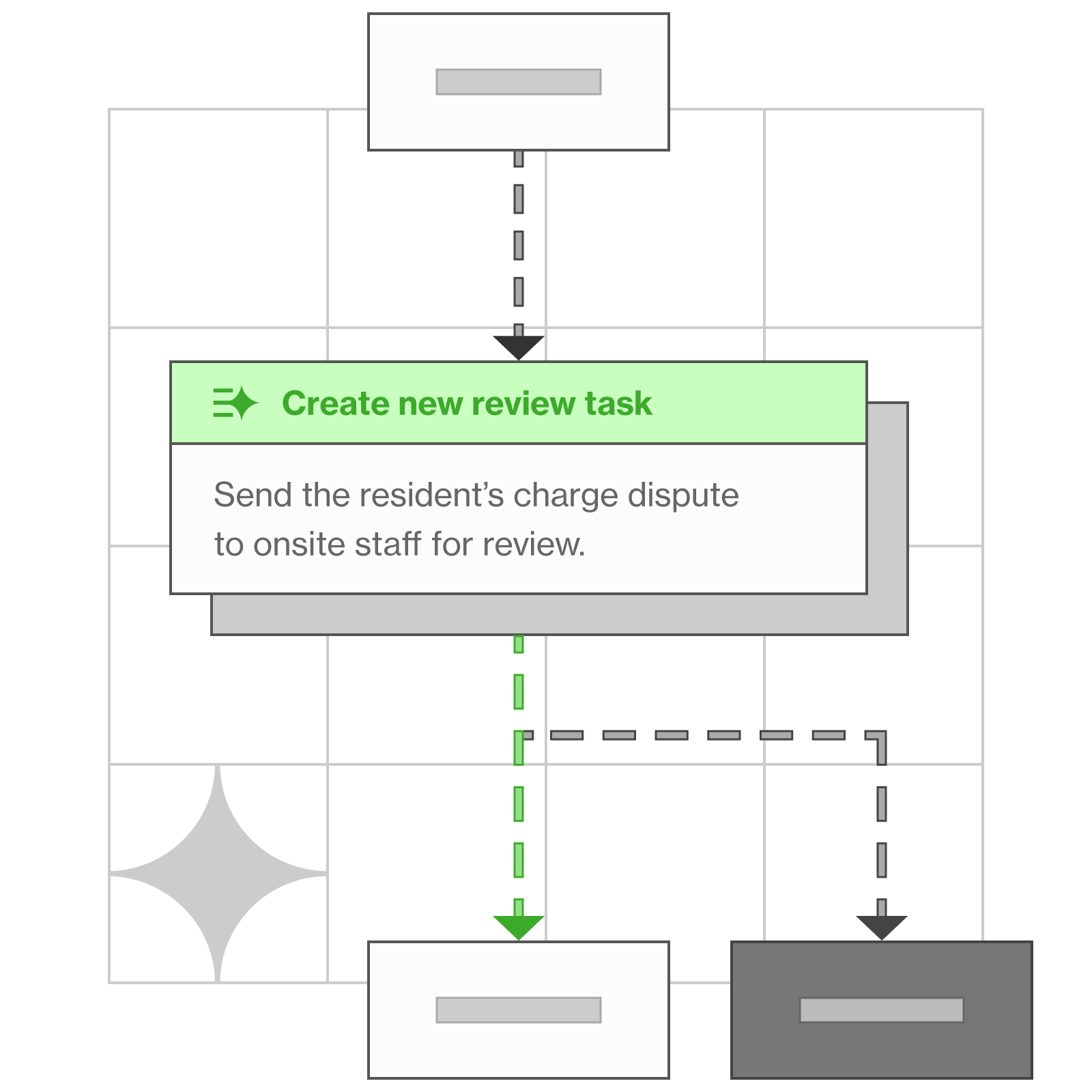
See it in Practice
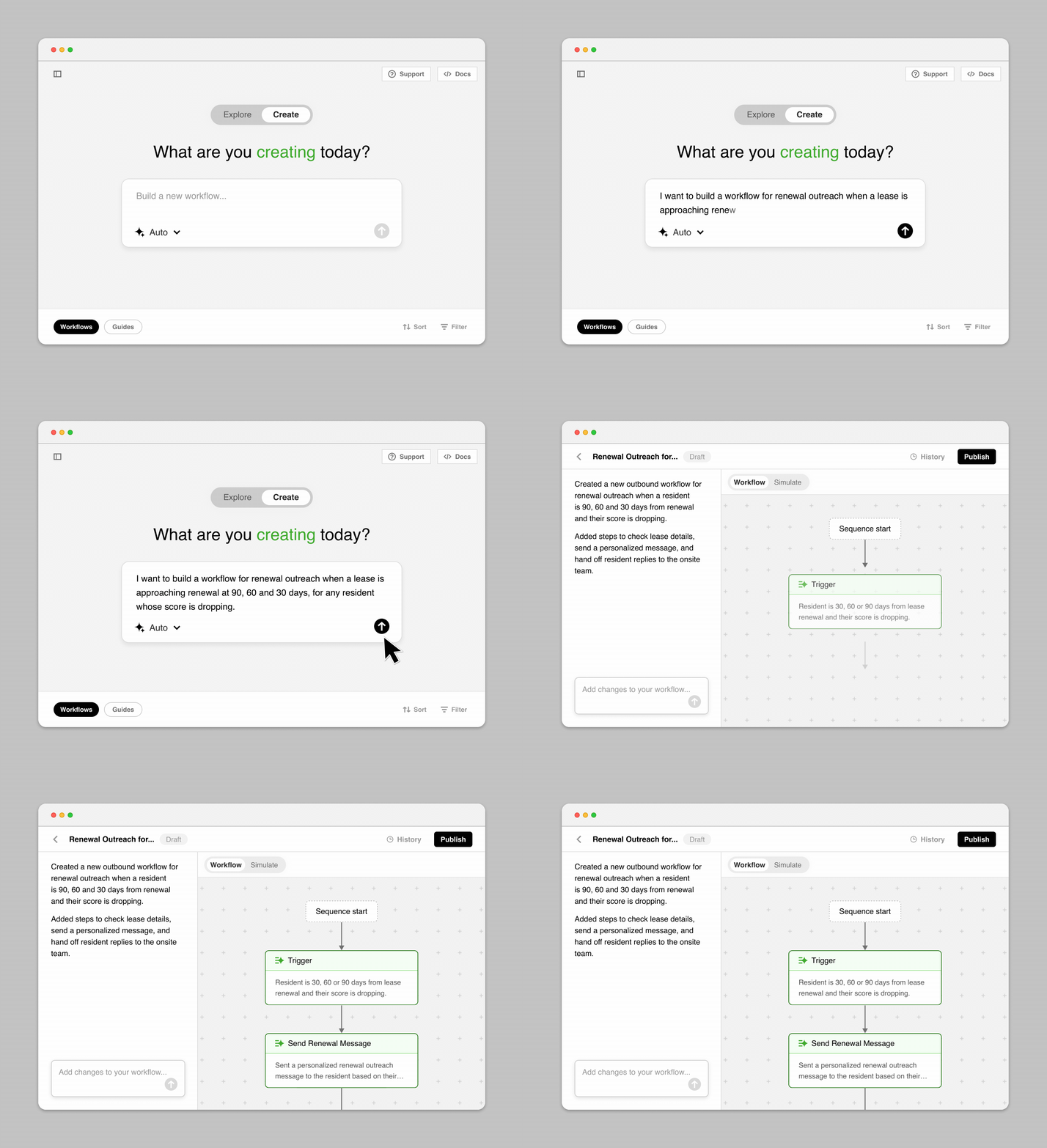
Scenario: A resident's experience score is declining and their lease is coming up for renewal. This workflow spots the signal early and triggers personalized outreach at 90, 60, and 30 days before lease expiration.
💡 Create Workflows from your Guides with the click of a button.
Learn about guides →Popular Workflow Examples

Delinquency escalation
When a payment is missed, automated reminders go out at day 1, day 5 and day 10 before escalating to the right person with a full audit trail.

Coaching trigger
If a team member's performance drops below threshold a coaching session is scheduled automatically.

ESA registration
Handle ESA documentation, HUD verification and team notification automatically.

Review amplification
Automatically identify positive resident experiences and trigger review requests that increase review volume and strengthen online reputation.

Budget variance alert
When spend at a community exceeds threshold the right person is notified automatically.
Security and complaint alerts
When volume spikes, the right person is notified automatically with full context.
The Benefit of
AI-native Workflows
Operational efficiency at scale
The same workflow that supports one community can scale across your entire portfolio.
Reusable workflows
Teams can build on existing workflows instead of duplicating processes across the organization.
Better customer experience
Faster responses, consistent follow-up and proactive outreach create a better experience without adding more work for onsite teams.
Team efficiency
Repetitive operational tasks are handled by the platform so teams can focus on the decisions, conversations and relationships that need a human touch.
Risk and compliance
Every workflow action is logged and traceable, making audits simpler and operational activity fully visible.
Always included: Trends & Actions
Workflows automate the processes that run across your business using the information flowing through the platform. As those processes execute the platform continuously identifies emerging trends and suggests actions and coaching for your teams and AI agents.
See Workflows in Action
FAQ
What is a workflow in the Travtus Everyday(AI)™ Platform?
A workflow is an automated process that runs when a specific condition is met. Teams can design, monitor and continuously optimise workflows themselves in plain English without relying on engineering or support. Every workflow follows a structured reliable path and can be updated or refined at any time.
What kind of processes can workflows automate?
Workflows can be created wherever manual effort, inconsistency or delay exists in your business. Because they run on connected data from across the platform they can automate processes that would be impossible for point solutions to handle. The starting point is wherever the pain is greatest today.
How long does it take to build and deploy a workflow?
Most workflows can be described, tested and published in the same day. Once your data is connected there is no engineering sprint and no support ticket required. Any team member can build a new workflow in plain English directly in the platform.
What is multifamily workflow automation?
It's encoding the recurring playbooks of a multifamily operation — maintenance triage, resident follow-ups, document chasing, escalations — as AI workflows that run automatically at every property. Operators report roughly 95% automation on the workflows they build.
Can business users build AI workflows without engineering?
Yes — that's the design. An operations manager, asset manager or maintenance director describes what should happen and that description is the build: no specification, no development backlog, no code. The logic stays with the person who understands the judgment being encoded, and it remains your intellectual property.
How is this different from the automation in our property management system?
PMS automation follows fixed rules inside one system. Travtus Workflows coordinate steps across everything connected to the platform — the PMS, communications, documents — which is what lets one workflow handle work that spans systems. Your PMS stays the system of record; the platform automates across it.
How do workflows fit into the broader Travtus Everyday(AI) Platform?
Workflows are one of several capabilities enabled by the Travtus Everyday(AI) Platform. Because the platform already understands your data and business context every new workflow builds on the same foundation. As you expand into new use cases the value of the platform continues to grow.